
Tutorial: Polly (Multi-AI Coding)
Polly is a multi-agent coding orchestrator. You give it a task; Polly splits it into sub-tasks and uses intelligent routing to pick the right agent for each task (Claude Code, Codex, Cursor, and others). Then a different agent reviews the results: if Claude Code writes the code, Codex checks it. Each sub-agent gets a clean slate with no prior conversation history, so it stays focused.
Time: 5 minutes. Everything runs locally.
1. Start Polly
-
Launch Polly. Either command starts Polly in your terminal and opens a web UI at
http://localhost:6767.omni polly # explicit omni # same, when a Claude credential is configured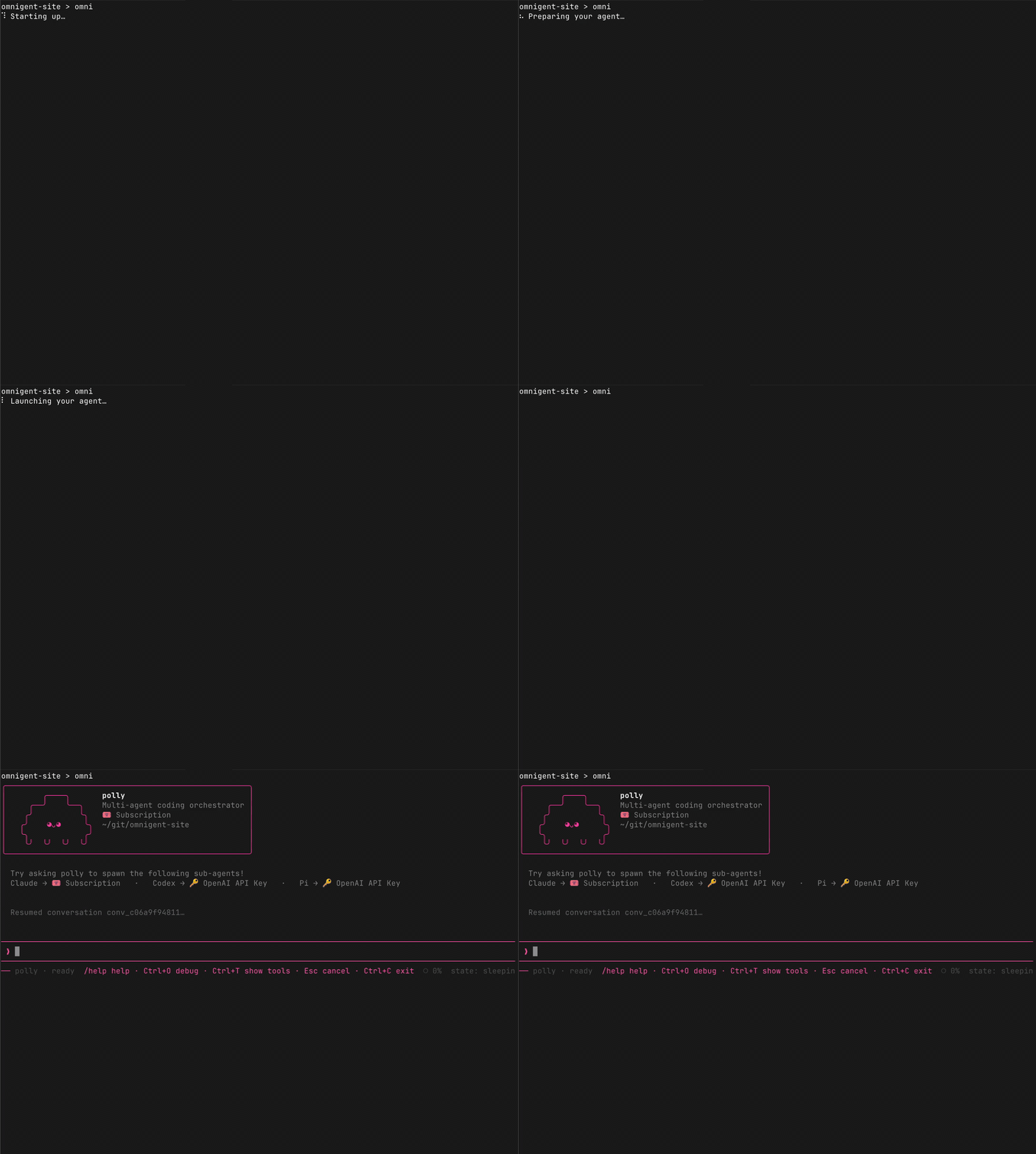
Start Polly with
omni polly, or justomni. -
Give Polly a task, for example:
Refactor the authentication module into separate files for OAuth, JWT, and session handling. Add tests for each.Polly breaks this into sub-tasks and delegates each one to a different AI agent. Claude Code implements one piece, Codex implements another in parallel, and a different agent reviews each PR.
2. Watch the agents work
Claude Code and Codex work on different parts of the task at the same time.
Open http://localhost:6767 or launch the desktop app
and connect to the same address.
Click the Agents tab to see every sub-agent Polly dispatches, with live status (working, idle, finished).
- Click any sub-agent to switch to its view and see its conversation, files, and terminal output.
- Intervene at any point: send a message to a sub-agent, or switch back to Polly to see the orchestrator's view.
- Switch to the Shells tab to see all running shells side by side.
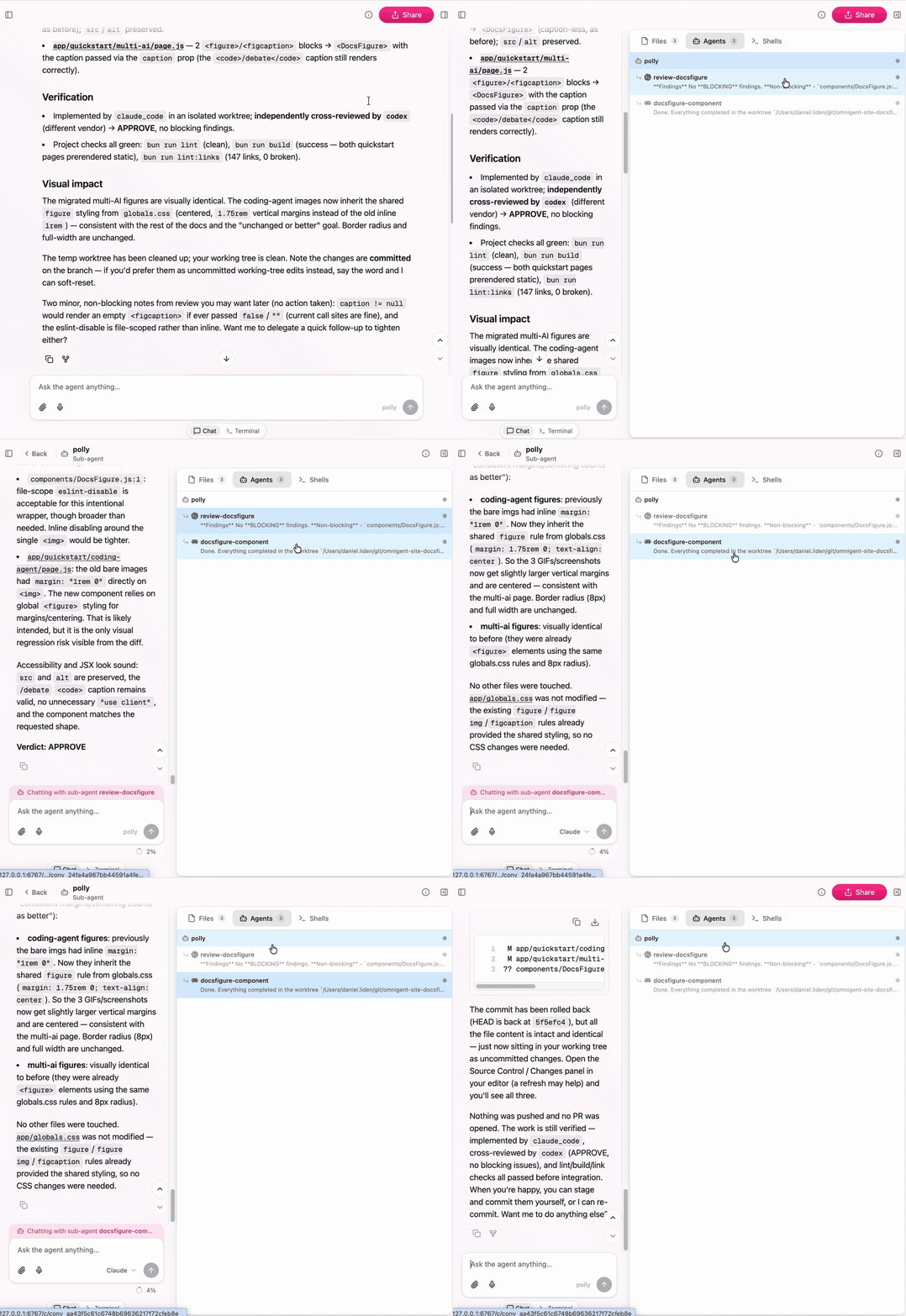
The Agents panel shows Polly and its sub-agents, so you can inspect or steer each delegated worker directly.
3. Turn on Smart Routing
Smart Routing picks the best model for each sub-task based on complexity: a short, well-scoped task goes to a faster model; an ambiguous or cross-cutting refactor goes to a stronger one. Polly applies this per sub-agent spawn, so each worker gets the model suited to its slice of the work.
To enable it, click the Smart Routing toggle in the chat composer. A chip appears below each routed message showing which model was picked and why.
Smart Routing requires a Databricks AI Gateway connection. If you're running entirely locally, the router is unavailable and Polly falls back to the default model.
4. Explore Omnigent features
Comment on the agent's work
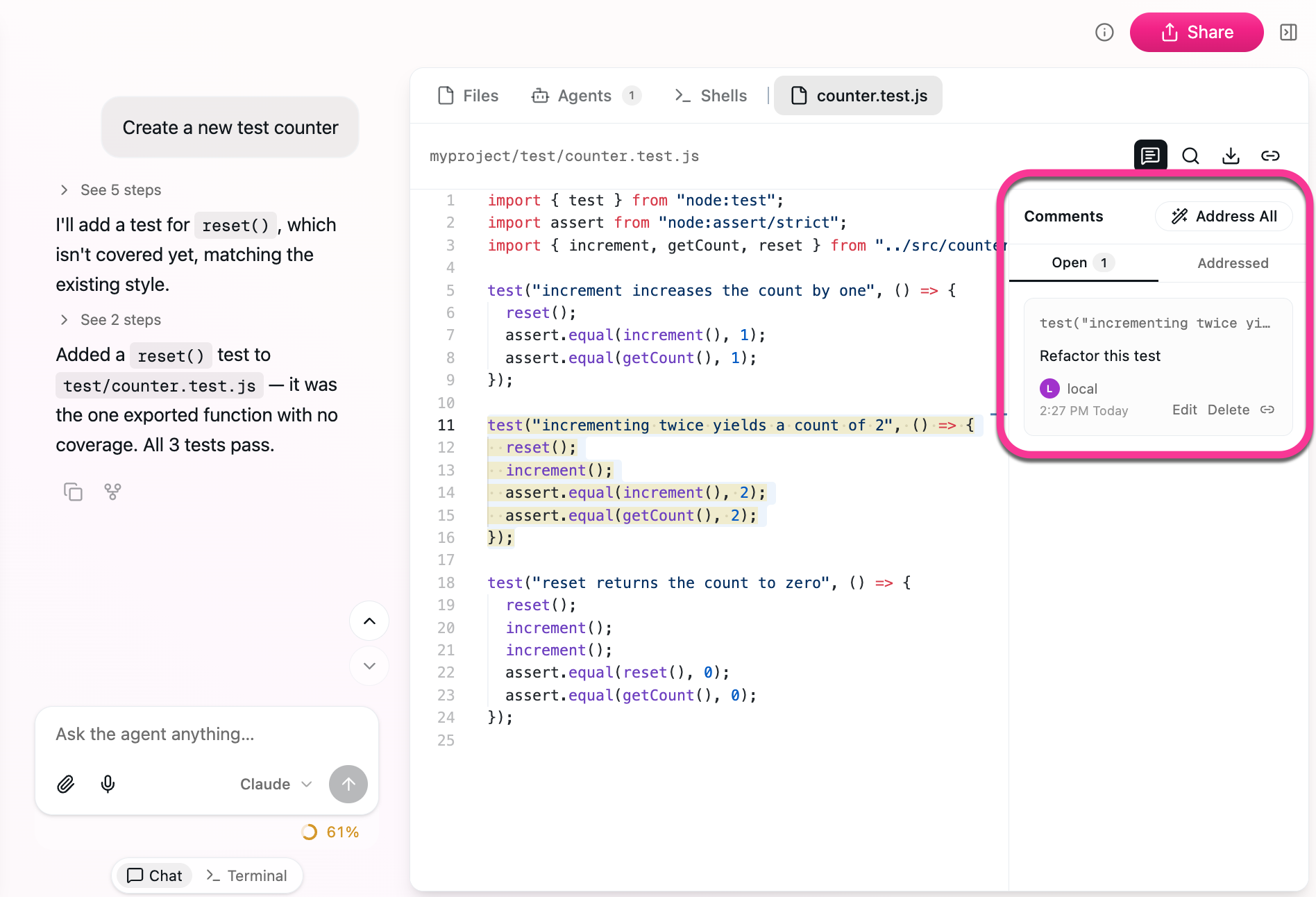
Click any part of the agent's output and leave an inline comment. The agent sees exactly what you highlighted and revises it. Click Address All to have the agent automatically address all your comments.
Edit files directly
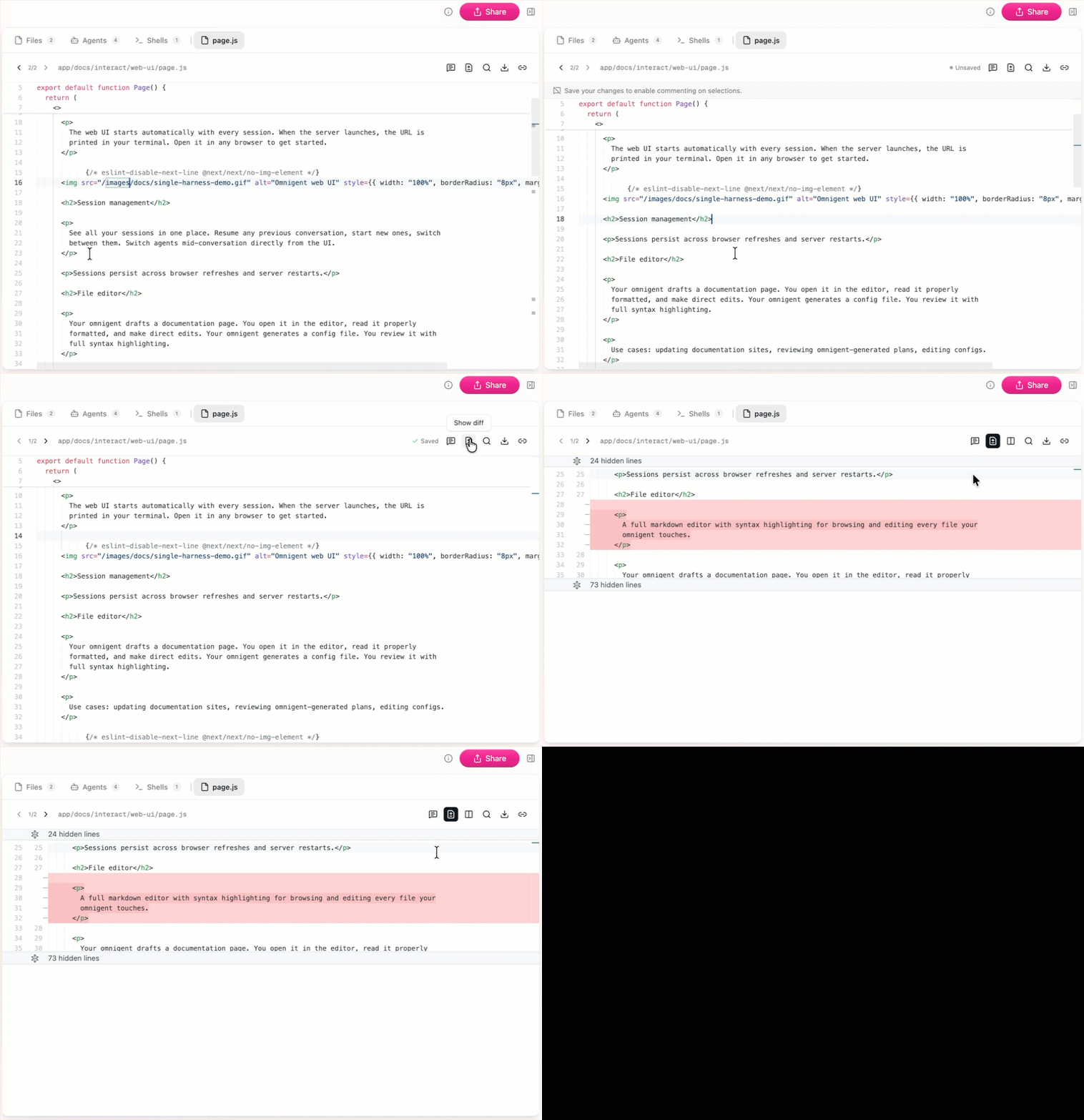
Open any file the agent created in the built-in editor. Make changes yourself with syntax highlighting, and see a diff of what the agent changed. The agent can see your edits and continue from there.
Paste an image
Drag a screenshot, mockup, or diagram into the chat. The agent sees it alongside your text. Try pasting a screenshot of a UI bug or a design spec.
Fork a session and switch agents
Fork your current session to try a different approach without affecting the original. Click the icon on any message to fork from that point. The fork copies the full conversation history up to there, so you can experiment freely. You can also fork to a different agent: start in Claude Code and continue with Codex, or vice versa.
Use the built-in browser (desktop app)
The Omnigent desktop app includes an embedded browser pane your agent can drive directly: navigate to a URL, click elements, type into inputs, and take screenshots. The pane opens automatically when the agent needs it. Use it for tasks like testing a local web app, scraping a page, or verifying a UI change.
Share a session for pair programming
Hit Share in the web UI to get a link. Teammates join with Read access
(watch the stream) or Edit access (co-drive and send messages). Messages, tool calls, and file changes all stream in real time. From the terminal, omni attach <session_id> does the same thing.
5. Use Polly's built-in skills
Type any of these into the Polly chat to go further:
/fanout: run independent tasks in parallel. Each gets its own sub-agent and git worktree, and opens its own PR./cross-review: send an implementer's diff to a different-vendor reviewer. Blocking issues loop back as fixes until clean./investigate: delegate read-only work (debugging, audits, code understanding) to sub-agents and get a synthesized report.
See the Polly reference for full details.
What's next
- Collaborate from anywhere to deploy a server and share sessions with teammates.
- Build a custom agent with your own multi-agent orchestration in YAML.